
DNSSEC
DNSSEC (Domain Name System Security Extensions) is a digital security seal for website addresses that ensures you are going to the real website and not a fake copy.
You can setup DNSSEC with NZ Domains in the portal.
Please note only NZ Domains Name are supported at this time, if you have a non-NZ domain which requires DNSSEC to be setup, please contact support to see if this can be enabled by them manually for the specific domain type.
When transferring a domain away or changing Name Servers, we recommend disabling DNSSEC for the domain name as this may cause issues
To Enable DNSSEC
- Open the relevant domain on the WLD Domain Portal
-
In the Advanced section, you should see the DNSSEC option, press the 'Edit' button
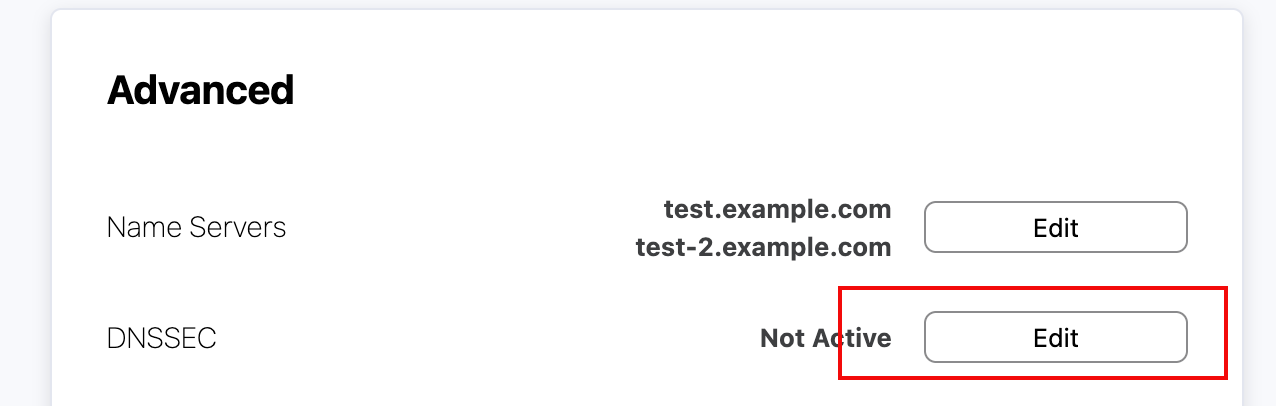
-
Toggle the Switch in the top right to 'Enabled'
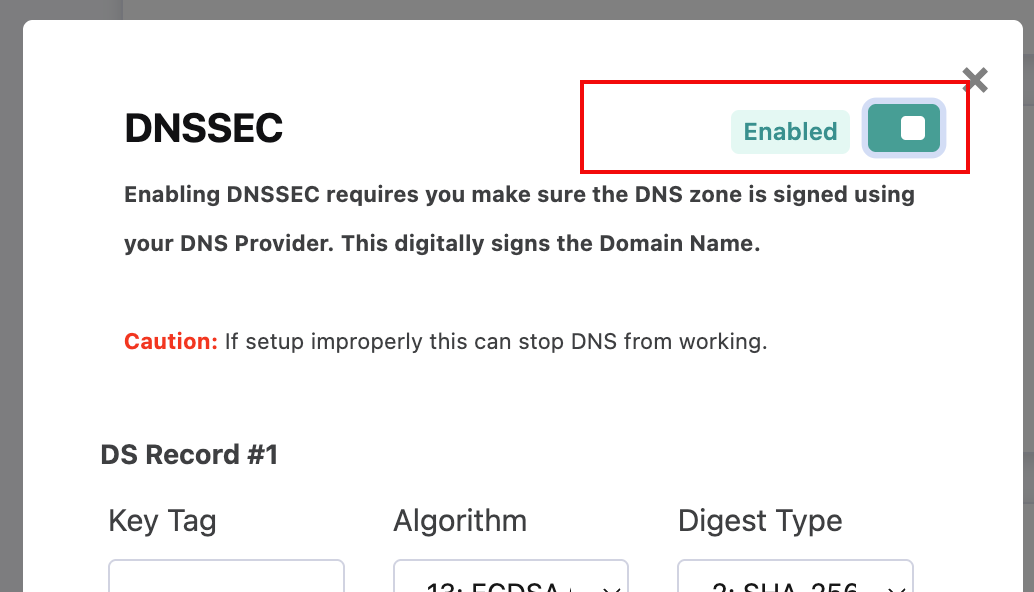
- This will now show the required fields for the DS record, the values should be provided by the DNS provider for the domain name. For example if you are using Cloudflare for DNS, you can find these under DNS Settings (https://developers.cloudflare.com/dns/dnssec/)
- You should only require a single DS record, however you can add a second one for specific edge cases
- Once saved, it should now show as 'Active', please note it can take around 30 minutes for the DNS provider to pickup on the new DS record.
To Disable DNSSEC
- Open the relevant domain on the WLD Domain Portal
- In the Advanced section, you should see the DNSSEC option, press the 'Edit' button
- Toggle the switch to 'Disables' and press 'Save', this will delete all DS records for the domain name
- Once saved, it should now show as 'Not Active', please note it can take around 30 minutes for the DNS provider to pickup on the removal of the DS records.